Smart Switch

What Is A Smart Switch?

Are you tired of arriving home to a dark, bleak house? Do you get fed up with having to walk across the entire home to press a switch because you forgot to turn off the lights? If so, then you should invest in a smart switch.

Smart switches are still light switches. You can press them to turn your lights on and off. The most significant difference is that they come with unique and advanced features that you can customize to automate your home.

Unlike traditional switches, high-tech smart switches have radio wave capabilities, which enable them to connect to your home network. After that, you can easily control them via an application on your smartphones or by giving a voice command.

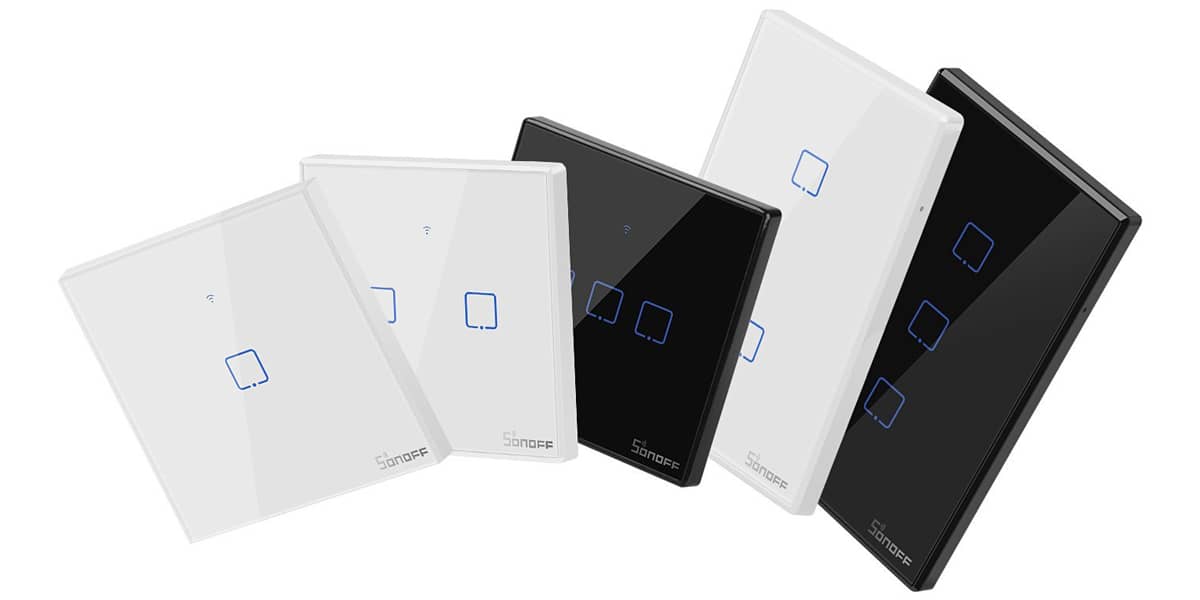
Another difference is their design. Some hands-free smart switches may feature multiple buttons to brighten or dim the lights. Others may even feature light indicators or sensors.

Smart switches are your best option if you want to upgrade your traditional light system. You don’t even have to upgrade all of the light switches in your home; you can limit the installation to a few light switches that you use the most frequently if you wish.

Here at TechShield Pro, you can buy a smart light switch for as low as $18!

Amazing Things Your Smart Switch Can Do

Smart switches can make life more convenient and comfortable, and there are many things you can do with them, aside from controlling them via phone or voice commands. Below are some of the fantastic features that you can experience with smart switches:

Schedule your lighting system. With your smart switch app, you can create schedules for your lighting system, which is a common way to save energy and make things more convenient in your home. You can schedule a couple of lights to turn on every night when you are away on vacation or have them programmed to turn on every day when you arrive home from work.

Try its advanced setups. Your smart switch can be connected to a group of smart devices, which means it can interact with other electric appliances. By creating “scenes” with your smart switch, you can operate several smart devices all at once.

For instance, you can have your lighting system connect with a motion sensor. When you enter the room, the motion sensor will instantly detect your movement and turn the lights on. This means you don’t have to press the switch, give a voice command, or even use the smartphone app to turn the lights on.

Dimming options. Use smart switches to control the bulb’s dimming options; however, take note that this depends on the bulbs you have in your house, as not all bulbs have dimming features.

TechShield Pro offers smart light bulbs with dimming options, so you can control its brightness however you want. You can even program your smart switch to change the brightness automatically throughout the day, so your lights get brighter during night time.

Why Buy A Smart Switch?

A smart switch is not the only thing that can make your lighting system “smart,” as the market also offers smart bulbs and smart plugs. So why buy a smart switch?

One of the main reasons is that they are cheap. Smart switches for home automation are much cheaper than smart bulbs, as long as you have the right house wiring setup.

This is advantageous for larger homes or those that only have a single switch to control multiple lights all at once. For instance, let’s say your kitchen and living room each have four ceiling lights. You don’t need to buy eight smart bulbs to control all those lights; instead, you only need two smart switches.

Secondly, you do not need to use other smart devices to achieve the same level of functionality. Smart switches work the same way as a traditional light switch. The difference is that they are connected to multiple recessed lights, so you can control all of those lights just by pressing one switch.

There is also no learning curve here; you don’t have to teach your roommates, family members, or guests how to turn the lights on. They probably won’t even notice that you have installed an intelligent light switch.

So, if your only goal is to control multiple light bulbs with just one switch, then opt for a smart switch. They work perfectly with traditional bulbs, and you don’t have to worry about the brand or type of bulb.

However, this is only applicable if you do not intend to use advanced options, such as dimming the lights or using voice commands to turn a light on and off. If you want to make the most of your smart switch, you will need to pair it up dimmable light bulbs. Luckily, most high-end CFL and LED bulbs are compatible with a smart switch’s advanced features.

Make Your Light Switch Smarter!

Here at TechShield Pro, we have affordable smart switches for you. Some of the features that our products offer include:

  • Touch control buttons for user convenience
  • Remotely control lighting and smart devices via smartphone
  • Works well with Google Assistant and Amazon Alexa
  • Set a schedule to turn electronic devices on and off
  • Customize one or a group of lights or smart devices with one simple tap
  • Works well with IFTTT
  • Sync real-time status of smart devices on your phone
  • Control electronic appliances and accessories together with your family members via device sharing

Aside from providing you with high-quality smart switches, we also offer consultations, installation, and system design services. If you are concerned about future management and maintenance, we can also help you with that!

Our system support packages are well-designed to meet the needs of our customers. You are also entitled to manufacture guarantees and system management when using our services.

If you are looking for the best smart light switch for Google Home, contact us via 70059975 or send us an email at connect@techshieldpro. Likewise, you can fill out our contact page at www.techshieldpro.com/contact.

FREQUENTLY ASKED QUESTIONS

How does a smart light switch work?

A smart switch for home appliances can be controlled using an app on your tablet or smartphone. However, smart light switches can still function by tapping them, just like how you do with an ordinary switch. This allows you to turn the lights on or off if you do not have your tablet or smartphone.

Can you dim lights with a smart switch?

Yes, you can dim the lights with a smart switch, as long as you have the right bulbs installed. You can also turn the entire house’s lighting system on or off with just one tap, no matter where you are!

Why won’t Google Home turn off my lights?

There could be a problem with your Google Home Assistant app. Ensure that the power source for the lights is on. Next, close the app and reboot all the smart devices in the house. Then, check if it works again by controlling your lights with the Wi-Fi smart switch app or giving a voice command.

How do I control lights with Google Home?

Locate the Rooms button under Home in the app. Google will ask you to assign lights to a room. Find the pencil icon next to the light to choose a particular room to designate a smart light bulb. Once everything is set, you can say “Hey Google, turn on/off the [bedroom] light”.

Does a smart switch need Wi-Fi?

Your smart switches should be connected to your home network as they need Wi-Fi for you to gain remote wireless access on appliances via smartphones or tablets. However, you can also turn your lights on and off by toggling the switch, just like you do with normal switches.

What is a smart light bulb?

Just like smart light switches, smart lights can be controlled using an app on your gadgets. You can also customize it to adjust the bulbs’ brightness, provided that these lighting fixtures are capable of changing colors or have dimming options.

Do smart lights use power when off?

Technically, smart bulbs still use some electricity when they are turned off. This is because the wireless on/off lighting control needs to maintain communication with your Wi-Fi so you can turn them on by using voice commands or via your smartphone.

What do I need for a smart light bulb?

Your smart light bulb will need an internet-connected device to work, such as a tablet, smartphone, or a home automation hub, since they require wireless communication standards, like Wi-Fi, ZigBee, or Z-Wave. These will let them connect to an app on your gadgets.

Can smart plugs work without Internet?

Technically, yes. Smart switches and plugs can both work without an Internet connection. However, you won’t be able to use its advanced features, like voice control. It is also vital to know that the more smart devices you connect to your home network, the more bandwidth it will eat up.

What can a smart plug do?

A smart plug allows you to turn your appliances on and off as long as they are plugged in. You can have it plugged into any wall socket, then plug your preferred appliances into it, whether it’s a coffee machine, TV, lamp, and so on.

Benefits Of Using A Smart Switch

If you’re not sure whether a remote appliance control is worth the investment, here are some of the things you can expect from buying one:

Convenience

You don’t have to find the switch in the middle of a dark room with smart switches to turn the lights on. Simply by clicking a button on your phone, using voice commands, or even entering the room, you can turn the lights on in any room, wherever you are in your house.

Greater Control

One cool thing you can do is set a task for your wireless lighting control switches that only activates at a specific time. For instance, as soon as you come home from work every night at 7 PM, the hallway lights can turn on.

You can also program your switches to work with other smart home devices. So, as the light turns on, the living room blinds can be programmed to shut, accompanied by a relaxing playlist – just what you need after a long day’s work!

There are many other advantages that you can get from using smart switches, such as reduced energy bills, improved security, and so much more! If you want to find affordable smart switches, call us today!

How To Install Smart Light Switch

Installing smart switch lights can be a daunting task for the average homeowner. Before proceeding with the installation, there are many factors to consider, such as lighting compatibility, wiring set up, and more.

Luckily, we have experts who can install your wireless appliance control switch for you! Once we have carefully studied your wiring setup and the type of switch you need, it’s time for us to proceed with the following steps:

  1. Remove the old light switch. We will disconnect the old switch’s wires one-by-one and label them using colored electrical tapes to keep track.
  2. Connect the smart switch’s wires to the wires inside the wall. We will connect the ground wire to the ground wire, the neutral wire to the neutral one, and so on. During the process, our team will make sure there are no exposed or loose wires in the box.
  3. We will fit all these wires inside the box and fit the light switch using a screwdriver. Then, we will set up your smart switch in your app.

Things To Know Before Installing Smart Switch

Before buying smart switches for your home, there are some factors that you should consider first.

For instance, you should choose a smart switch compatible with the apps and other smart devices you are using for your home. So, if you have a Google Home or Amazon Alexa speaker, look for a Google Home switch Wi-Fi that perfectly works with those. Moreover, the switch should also be compatible with your light bulbs.

Another factor that you should consider is your budget. Buying many switches and smart light bulbs compatible with Google Home can be expensive if you try to replace all of your traditional switches and bulbs. However, you can ask our team of experts to choose your home’s best lighting system without breaking the bank.

We can offer you other lighting solutions, like smart bulbs and smart plugs, which are compatible with your home. For a smart home consultation, give us a call today!